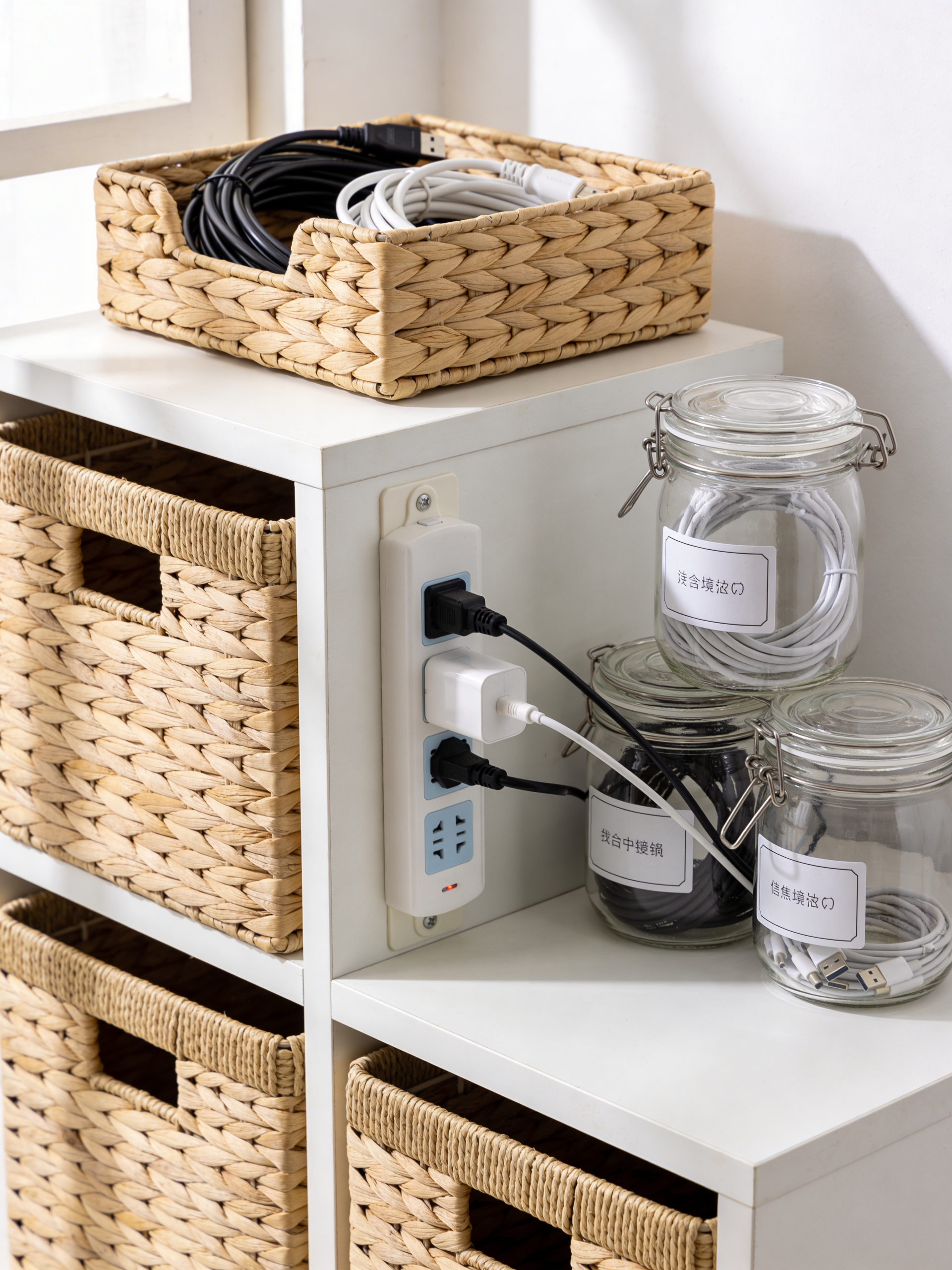
Small desk cable management transforms chaotic workspaces into productive sanctuaries. Tangled cords don’t just look messy—they collect dust, create stress, and make cleaning impossible. Whether you have a tiny apartment desk or a compact home office, these 7 solutions help you conquer cable clutter for good.
Why Cable Management Matters
Visual clutter increases cognitive load and reduces focus. Studies show that organized workspaces improve productivity by up to 20%. Good small desk cable management isn’t just aesthetics—it’s performance optimization. When your space looks professional, you feel professional.
1. Cable Clips and Holders
Adhesive cable clips attach to desk edges and legs, guiding wires along clean paths. Use them to route charging cables, USB cords, and lamp wires. For small desk cable management, these inexpensive clips prevent cords from dangling or tangling. Place them where cables naturally fall.
2. Under-Desk Cable Trays
Mount a wire basket or tray beneath your desk to hold power strips and excess cord length. This keeps everything off the floor and out of sight. For small desk cable management, choose a slim tray that doesn’t interfere with legroom. Screw-mounted versions hold more weight than adhesive.
3. Cable Sleeves and Raceways
Gather multiple cords into one neat bundle with fabric or plastic sleeves. These zip or wrap around cables running from desk to floor or along walls. Small desk cable management looks instantly cleaner when five separate wires become one organized tube.
4. Label Everything
Use bread ties, washi tape flags, or printable labels to identify cords at both ends. Knowing which black cable belongs to which device saves frustration during small desk cable management troubleshooting. Label before organizing so you can easily trace problems later.
5. Wireless Where Possible
Reduce cable needs with wireless peripherals. Bluetooth keyboards, mice, and headphones eliminate three common cords from your small desk cable management challenges. Wireless phone charging pads remove another cable. Every wireless device simplifies your setup.
6. Power Strip Placement
Mount your power strip under the desk or behind it, not on top. Use cable ties to secure the strip itself so plugs don’t pull loose. For small desk cable management, choose a slim strip with widely spaced outlets that accommodate bulky adapters.
7. Cord Organizers for Drawers
Store spare cables in drawer organizers or dedicated cable boxes. Wrap unused cords with velcro ties. Good small desk cable management includes storage for extras—not just the cables in use. Knowing where to find a spare HDMI cord prevents emergency clutter.
Step-by-Step Desk Cable Cleanup
Start your small desk cable management project by unplugging everything. Dust and clean thoroughly. Identify which devices you actually use daily. Route essential cables first, securing them as you go. Add back optional devices only if they fit cleanly. Step back and admire your streamlined workspace.
Maintaining Cable Organization
Good small desk cable management requires maintenance. When adding new devices, route cords properly from day one. Do a monthly check for dust and tangles. Resist the urge to just “plug it in temporarily”—that temporary becomes permanent clutter.
Frequently Asked Questions
How do I hide cables on a glass desk?
For glass desks, small desk cable management requires creative solutions. Use clear cable clips that blend in. Route cords through monitor stands with built-in channels. Consider a decorative cable-hiding box painted to match your decor.
What’s the best way to manage cables without drilling?
Adhesive cable clips, cable sleeves, and desktop organizers work without permanent installation. For small desk cable management in rentals, choose removable solutions that don’t damage surfaces.
How do I prevent cables from falling behind my desk?
Use cable clips on the back edge of your desk to secure cords. A small desk cable management tray prevents items from falling while organizing what stays. Position your desk closer to the wall to minimize gaps.